Your phone number is more valuable than you think.
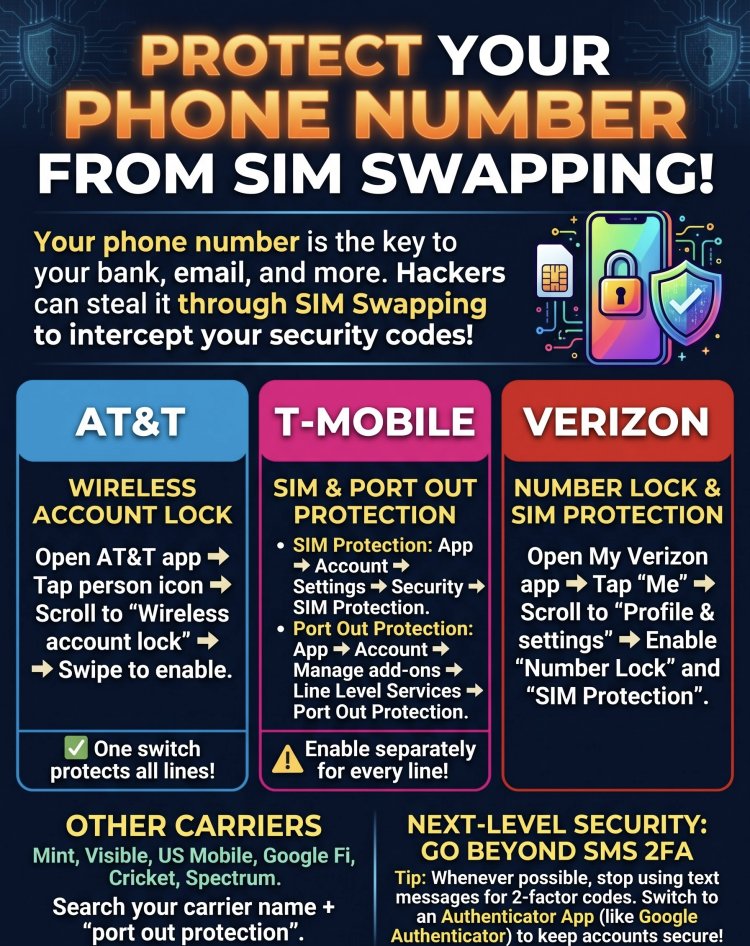
It’s the master key to your bank accounts, email, and identity.
Because so many companies still rely on text messages for two-factor authentication (2FA), hackers use a tactic called "SIM swapping" to trick your carrier into transferring your number to a device they control. Once they have your number, they intercept your 2FA codes and break into your accounts.
The good news? Major carriers offer FREE features to block this.
The catch? You have to turn them on manually.
Here is exactly how to lock down your number today:
AT&T
Enable Wireless Account Lock to block SIM swaps and carrier transfers for every line on your account.
How: Open the AT&T app > Tap the person icon > Scroll to Wireless account lock > Swipe to enable.
T-Mobile
You need to turn on TWO separate protections.
How:
1. SIM Protection: Account > Settings > Security > SIM Protection (Can be enabled for all lines at once).
2. Port Out Protection: Account > Manage add-ons > Line Level Services. (Important: This must be enabled separately for every single line).
Verizon
You also need to enable two features: SIM Protection and Number Lock.
How: Open the My Verizon app > Tap 'Me' > Profile & settings > Enable both.
Other Carriers (Mint, Visible, Google Fi, etc.)
Search your carrier’s name + "port out protection" to see how to lock down your account.
Two final pro-tips:
1. Remember to temporarily disable these locks if you ever buy a new phone or switch carriers.
2. Stop using SMS for 2FA. Switch to an Authenticator app. It generates codes independently of your phone number, so even if a SIM swap happens, your accounts remain secure.
Have you locked down your phone number yet? Take 5 minutes to do it today.
#CyberSecurity #SIMSwapping #TechTips #DataPrivacy #OnlineSecurity
What's Your Reaction?